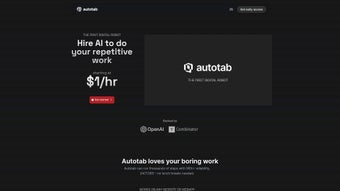

Download Autotab – Fast, Secure Browser Automation for Windows, Mac, Android & iOS
Overview
Autotab is a next‑generation browser automation platform that empowers users to turn repetitive web actions into reliable, repeatable scripts without writing a single line of code. Backed by Y Combinator, the service combines a visual recorder, AI‑driven optimization, and a secure sandbox environment to deliver a smooth experience for freelancers, marketers, and small‑business owners alike. Whether you need to scrape pricing data from dozens of e‑commerce sites, fill out lead‑generation forms, or orchestrate multi‑step social‑media campaigns, Autotab captures every click, scroll, and keystroke, then translates the raw interaction into clean, modular code that can be edited, scheduled, or triggered via API.
The tool runs natively on the four major operating systems—Windows, macOS, Android, and iOS—so you can automate from a desktop workstation or directly from a mobile device while you’re on the go. Security is baked in: each automation runs inside an isolated container, personal credentials never leave your device unless you explicitly enable cloud sync, and all data transfers are protected with end‑to‑end encryption. Autotab’s free tier offers generous limits for hobby projects, while paid plans unlock high‑frequency scheduling, team collaboration, and priority support.
In short, Autotab bridges the gap between manual browsing and full‑scale robotic process automation, delivering speed, reliability, and peace of mind for anyone who spends time on the web.
Key Features
Autotab packs a rich set of capabilities that make browser automation accessible and powerful. The following feature list highlights the most valuable tools for everyday users and power‑users alike.
- One‑Click Recording: Start a session, perform any web action, and Autotab automatically generates a clean, reusable script with step‑by‑step nodes.
- AI‑Assisted Optimization: Built‑in machine‑learning suggests faster pathways, handles pop‑ups, and adapts to minor layout changes without manual edits.
- Cross‑Platform Sync: Native installers for Windows, macOS (Intel & Apple Silicon), Android, and iOS keep your agents synchronized across devices.
- Visual Flow Builder: Drag‑and‑drop interface lets you stitch multiple recordings into complex workflows, add conditional branches, and set loops.
- Secure Sandbox Execution: Scripts run in an isolated environment, protecting credentials and preventing accidental data leaks.
- Advanced Scheduling & Triggers: Schedule automations on a calendar, set recurring intervals, or invoke them via webhooks, REST APIs, or CI/CD pipelines.
- Extensive Template Library: Pre‑built agents for price monitoring, lead capture, social posting, and more accelerate project kick‑offs.
- Team Collaboration Tools: Share agents, assign roles, track version history, and comment directly within the platform.
- Generous Free Tier & Scalable Pricing: Hobbyists enjoy unlimited recordings and up to 1,000 runs per month; paid plans scale with usage.
- Y Combinator Backing: Validation from a leading accelerator ensures ongoing product investment and roadmap stability.
Installation & Usage Instructions
Getting started with Autotab is quick, secure, and requires no advanced technical knowledge. Follow the steps below to download, install, and launch your first automation.
Step 1: Download the Installer
Visit the official Autotab website and click the Download button that matches your operating system. Autotab provides native installers for Windows (64‑bit), macOS (Intel & Apple Silicon), Android, and iOS. All files are served over HTTPS and signed with a digital certificate to guarantee authenticity.
Step 2: Run the Installer
On Windows, double‑click the .exe file and follow the guided wizard. macOS users open the .dmg and drag the Autotab icon into the Applications folder. Mobile users simply tap the “Install” button in the Google Play Store or Apple App Store. The installation process typically finishes within two minutes and does not require elevated administrator privileges.
Step 3: Create or Sign In to Your Account
After launching the app, you’ll be prompted to register using an email address or a social login (Google, GitHub). Your account stores agents securely in the cloud, enabling seamless sync across devices. For privacy‑focused users, a “local‑only” mode keeps all data on the device.
Step 4: Record Your First Automation
Click the Record button, then perform the web actions you want to automate—click links, fill forms, scroll pages, etc. When you stop recording, Autotab instantly presents a visual script with editable nodes. You can rename steps, add conditional logic, or let the AI suggest optimizations.
Step 5: Test, Refine, and Deploy
Use the Run command to execute the automation in a sandboxed browser window. If everything works as expected, save the agent and schedule it via the Scheduler tab, or expose it through a webhook for integration with tools like Zapier, Make, or custom scripts. Autotab automatically checks for updates, ensuring you always benefit from the latest security patches and feature enhancements.
Pros, Cons, Frequently Asked Questions & Final Verdict
Pros
- One‑click visual recorder eliminates the need for programming expertise.
- AI assistance reduces maintenance effort when websites change.
- Cross‑platform support lets you automate from desktop or mobile devices.
- Secure sandbox protects sensitive credentials and data.
- Generous free tier is sufficient for most small‑scale projects.
Cons
- Advanced features such as high‑frequency scheduling and API access require a paid subscription.
- Very complex multi‑step workflows may need manual code tweaks for optimal performance.
- Automation is limited to browser actions; native mobile app interactions are not supported.
Frequently Asked Questions
Is Autotab completely free to use?
Autotab offers a free tier that includes unlimited recordings, up to 1,000 automation runs per month, and basic AI suggestions. Paid plans unlock higher run limits, API access, and priority support.
Can I run automations on my smartphone?
Yes. Autotab provides native apps for both Android and iOS, allowing you to record and execute browser‑based automations directly from your phone or tablet.
How does Autotab protect my data?
All scripts run inside an isolated sandbox, and personal data is never transmitted unless you enable cloud sync. Autotab complies with GDPR, uses end‑to‑end encryption for stored agents, and does not retain browsing history.
Does Autotab support scheduling and external triggers?
Absolutely. You can schedule automations for specific dates and times, set recurring intervals, or invoke them via webhooks, REST APIs, or CI/CD pipelines for full integration with your existing workflow tools.
Which browsers are compatible with Autotab?
Autotab is built on Chromium, so it works natively with Google Chrome, Microsoft Edge, and any other Chromium‑based browser. It also offers limited support for Firefox through a compatibility layer.
Final Verdict & Call to Action
Autotab delivers a compelling combination of ease‑of‑use, AI‑enhanced performance, and cross‑device flexibility that makes browser automation approachable for beginners while still powerful enough for seasoned professionals. Its secure sandbox, generous free tier, and backing by Y Combinator give users confidence in both privacy and long‑term product support. If you’re looking to eliminate repetitive clicks, speed up data collection, or integrate web actions into larger business processes, Autotab is a download worth making today. Click the button below to get the latest version for your platform, start recording within minutes, and experience a more productive web workflow.
Review Summary: Autotab strikes an excellent balance between simplicity and capability. The AI‑driven suggestions and cross‑platform availability set it apart, while the free tier makes it accessible. Power users may need a paid plan for high‑volume tasks, but overall the value proposition is strong.



.png)



